Category: Custom software
How Logistics Management Software and Technology Will Transform Businesses in 2021
Without logistics software management, Pfizer cannot become one of the world’s largest sterile injectables suppliers in 2021. Neither can they store, transport, and distribute the COVID-19 vaccine to multiple countries, maintaining ultra-low temperatures. Monitoring temperatures, optimizing delivery routes, managing cold storage, tracking vaccines in transit, overseeing distribution – all these prove that the logistics and supply chain sector has been at the forefront of tech disruption in 2021. Various governments are taking measures to expedite vaccine distribution to the masses; shoppers have increasingly moved to online shopping – 2021 is set to witness the increasing adoption of logistics management software.
Read more: 6 Tips for Logistics and Supply Chain Leaders to Plan COVID-19 Vaccine Distribution Strategies

The Impact of Technology in Logistics
Technology continues to disrupt logistics and supply chain processes by changing it altogether from its core. Research and Markets reports that the increasing use of IoT and emerging technologies across industries will accelerate Connected Logistics’s adoption. The Global Connected Logistics market is projected to grow at a CAGR of 17.5% during 2021 – 2026.
Consequently, logistics will become more refined and fast, changing the way materials, goods, freight, sales orders, inventory, and production are managed.
As efficiency and speed become the determining factors, logistics need to adopt a new approach to deal with the rising demand and complexity of processes. The industry needs a viable solution that manages the flow of things so that the right product reaches the customer within the specified time.
Logistics software adoption streamlines operations and removes process hassles. Organizations that invested in logistics management software have produced good outcomes with noticeable improvements in process, operations, and delivery.
This article attempts to explain all that you need to know about logistics management software, including:
- What is Logistics Management Software?
- Challenges in logistics management
- Pros of a having a logistics software
- 2021 trends that reshape logistics management
- Choosing the right Logistics Management Software
- Checklist of essentials in a Logistics Management Software
- How logistics software improves efficiency
- The future of supply chain
What is Logistics Management?
Logistics involves the flow of things from their point of origin to the point of consumption, usually general customers or businesses. The selection of vendors, transportation means, routes, and delivery methods constitute an essential part of logistical operations.
Logistics management is a part of the supply chain that uses planning and implementation to store and deliver goods and services to the customer. It coordinates several critical activities of the supply chain that range from product development to commercialization.
Typically a logistics management system includes the following:
- Inbound and outbound transportation management
- Warehouse management
- Fleet management
- Processing orders
- Inventory control
- Managing third-party logistics service providers
- Planning supply and demand
Watch Video: Top Challenges Faced by Logistic Management
Logistics management constitutes several functions such as production planning, sourcing, procurement, packaging, and dispatching. It also involves finding the suitable means to deliver goods and services to the end-user. Inbound and outbound traffic is vital in logistics management.
- Inbound logistics is a linear flow of raw materials from suppliers into a warehouse and then a production unit.
- Shifting the products from the warehouse inventory into the hands of the customers falls under outbound logistics.
An example of inbound and outbound logistics at play is that of a manufacturer of electronic goods, which requires several raw materials in the form of components, nuts, bolts, cables, casting, packaging cartons, etc., to build products.
Challenges in Logistics Management
Logistics is prone to several issues that occur primarily due to simple human errors or other factors. Weak decisions usually result in delays in the transport or delivery of goods, leading to customer dissatisfaction. Besides, another challenge that logistics face generally is in the safe transportation of goods. The goods can become damaged or faulty if not handled accordingly while in transit.
Customer demand has also become higher as they want more transparency in the delivery process. Moreover, logistics and supply chains are facing the still unsolved issue of cost control. The rise of fuel charges combined with a steep increase in energy, freight, and labor rates put further pressure on logistics providers.
Effective risk management and managing the relationship between the suppliers and partners are also vital. A reliable solution that covers all these individual challenges in logistics is thus becoming a necessity. The use of logistics management software (LMS) can streamline logistical operations and guide a logistics provider or business to deal with them appropriately.
What is Logistics Management Software?
Logistics Management Software (LMS) simplifies logistics operations by refining the production cycle and making it easier to access important information quickly. A logistics management software helps businesses manage the various processes that go into the production cycle from the delivery of raw materials to shipping the finished products to the consumers.
Logistics software has become broader in its scope and functionality to deal with a vast array of operations and processes. It shares similarities with supply chain management software (SCMS), which contains tools that help deal with transactions, processes, and suppliers. The functionality of a logistics management software extends to areas such as:
- Processing customer requests
- Processing purchase orders
- Inventory Management
- Suppliers Management
- Sales and Distribution
A logistics management software gets rid of all the conventional approaches like paperwork and spreadsheets to simplify management. It comes in three variations: warehouse management systems, enterprise resource planning systems, and integrated supply chain management suites.
Companies with an in-house logistics or supply chain division and third-party logistics providers utilize any of these different versions according to their requirements to efficiently manage their logistical and supply chain operations.
The Pros of having a Logistics Software
In logistics, handing over the process to a logistics management software has several advantages. With logistics management software, a company or 3PL (third-party logistics) provider could avail of the following benefits.
- Refine Transportation: Transportation is a crucial area of logistics. It incurs the most charges in the form of fuel, energy, labor, motorway tolls, and shipping fees. Relying on logistics software can help manage the various transportation means and leverage the operational data for process automation. Logistics management software makes it easy to analyze data and make relevant decisions for reducing costs maximizing efficiency.
- Faster Delivery: The logistics and supply chain industry faces several issues that affect delivery and lead to delays. By incorporating logistics software, businesses can rapidly deliver their products to customers. A logistics management software can improve delivery speed by making meaningful interventions in the production cycle and choosing the suitable carrier. It ultimately reduces shipping delays to a great extent.
- Minimize Human Errors: Another notable advantage of having logistics management software is in reducing human error. Manual analysis of vast quantities of transportation data is difficult, time-consuming, and prone to errors. A logistics software can process these data without any mistakes in less time, seamlessly pushing forward the operations with minimal/nil delays.
- Automates Functions: Process Automation is a tremendous boon of logistics software integration. Certain functions like creating shipment routes, load planning, and tendering of load to carriers are easily automated and managed by using logistics software. Moreover, it eliminates paperwork, which helps deal with the processes efficiently and timely.
- Reduce Costs: Logistics software can automatically compare different shipping services, delivery agents, and transportation methods to find the least pricing ones. The other way logistics software reduces costs is by lowering the expedited shipments through improved shipment planning.
Read more: How Transportation Management Systems Benefit Third Party Logistics (3PL) Service Providers

2021 Trends that Reshape Logistics Management
The demand for logistics software management has peaked with the widespread popularity of e-commerce in 2021. The onset of COVID-19 is also a reason behind the peak in demand for logistics technology. As a result, logistics is constantly evolving to accommodate each industry’s rising requests that depend on it. One area where logistics has transformed is the digitization of its processes and resources. In 2021, the industry is expected to embrace the cloud, mobile, and emerging tech to transform logistics operations. Here are some of the top tech trends that will influence logistics and supply chain in 2021.
1. Artificial Intelligence
Logistics companies will use AI to identify patterns in data and churn insights. It will help advance operations such as intelligent transportation, route optimization, demand forecasting, budget planning, etc. McKinsey reports that AI-driven logistics optimization can reduce costs through real-time forecasts and behavioral coaching. The potential incremental value of AI in the logistics and transportation industry (89%) will be more than other analytics techniques.
Read more: How AI is Reshaping the Supply-Chain and Logistics Industry

2. Warehouse Robotics
Over the last few decades, innovative logistic robotic companies have worked hard to mesh AI and machine learning, better sensors and response capabilities, warehouse management software, or logistics management software. Recently, warehouse robotics in the supply chain has picked up pace exponentially. There has been colossal funding and investment in the industry. For example, Alibaba invested $15 billion into robotic logistics infrastructure, and Google invested $500 million into automated logistics for JD. It is also estimated that the global market for warehouse robotics in the supply chain will reach a market value of $22.4 billion by the end of 2021.
Read more: How Robotics in Logistics Helps Improve Supply Chain Efficiency
3. Cloud Computing
Cloud integrated logistics management software allows having real-time price updates, inventory, and tracking. Cloud-based logistics software enables real-time accuracy and 360-degree management of processes and systems. You can track a product through its lifecycle, right from ordering to distribution. It allows to significantly cut down the costs of lost products, missing deliveries, locate a shipment at any stage of transport, and reroute a misdirected shipment. Cloud-based logistics software allows everyone in a trade network to communicate and share data in real-time, make decisions quickly, and scale on-demand.
4. Contactless last-mile delivery
In a pandemic-troubled world, contactless delivery is more critical than ever. eCommerce companies and carriers face increasing pressure due to the surge in online shopping. It’s crucial to stay agile by ensuring business continuity. At the same time, it is also vital to remain safe and meet delivery needs. Electronic parcel lockers, contactless parcel delivery and collection, and self-service pick-up automate delivery processes to reduce physical interactions between customers and delivery agents.
Watch video: Custom Web Application Developed to Enable Smarter Locker Management
Custom logistics software applications can help fulfill the increasing demand for last-mile delivery. Fingent helps build healthy tech partnership ecosystems to ensure uninterrupted supply and distribution of your products and services.
5. Blockchain
Blockchain, also known as the distributed ledger technology, offers the ability to record transactions between parties securely and permanently. The shared and secured databases enabled by blockchain helps in avoiding intermediaries and third parties that verify, record, and coordinate transactions in a supply chain. Blockchain helps increase the traceability of the material supply chain, improve the credibility and trust of shared data, digitize physical assets like contracts and critical documents, streamline administrative processes, reduce costs, and enable effective auditing of supply chain data.
Example of blockchain application in logistics: The international logistics giant DHL uses blockchain-based serialization of pharmaceutical drugs and products to ensure that:
- the products come only from legitimate manufacturers,
- are not counterfeit, and
- are adequately tracked and traced through their journey from origin to consumption.
6. Predictive Analytics
The emergence of sensor technologies and AI has contributed heavily to the rapid growth of predictive maintenance in the logistics industry. Supply chain leaders want to utilize data effectively to optimize predictive maintenance, forecast demands, adjust inventory levels, improve cold chain transportation, and protect the integrity of the supply chain. Smart and optimized data management through predictive analytics and AI allow logistics providers to refine and transform the supply chain in 2021.
Opting for the right Logistics Management Software
With the trends shifting logistics management in a progressive direction, the need for software solutions in the field has become indispensable. Businesses, whether focussing on e-commerce or delivering services, can benefit from having logistics management software. However, the real question is finding the right kind of logistics software since the requirements vary for each business.
Read more: How to Pick the Right Logistics Management Software

A checklist of essentials in a Logistics Management Software
Before settling on software for logistics management, it is vital to understand the requirements and challenges a business faces daily. Carrying out a detailed analysis can help identify deficiencies in the existing logistical operations of a business. Besides that, it can suggest measures to redeem any discovered shortcomings in the cycle.
When deciding on logistics management software, there are several essential factors to consider. Firstly, it should contain a basic set of functions that can aid in simple logistical management operations.
Besides that, numerous other things should also be present in the software to tackle the wide base of a business’s logistical operations and processes.
Some of the key features to look for in a potential LMS are:
- Compatible Multi-Client Architecture: A logistics software that comes with multi-client architecture support is necessary if a business handles multiple customers. Software with inventory and purchase orders has more emphasis since it deals with several customers simultaneously or in different phases.
- Forecasting: The ability to forecast is a needed trait in logistics and supply chain management software since it can bridge gaps in supply and demand by enhancing the business processes. Demand, supply, and price forecasting can help supply chain management with proper production scheduling, better customer satisfaction, and minimized out-of-stock scenarios.
- Finance Integration: Having tools that integrate the supply chain’s financial side is another critical software requirement. Vital financial aspects like general ledger, account payables, and receivables can help manage the bookkeeping and records of transactions conveniently when included in logistics software.
- Inventory Tracking: Having an inbuilt inventory tracking feature can make logistics management software more dependable. Logistics involves transactions of various kinds. An inventory control feature enables easier processing while ensuring that the customer gets the invoice on time.
- Customizable and Streamlined Interface: A good logistics management software should contain a streamlined interface that allows for effortless navigation across its chief functions. A customizable logistics software can easily accommodate the unique infrastructure and methods implemented by a business.
- CRM: Logistics software should also cover the customer side. A CRM embedded logistics software allows the customers to know the status of their deliveries. For both inbound and outbound logistics, CRM can answer the customers’ queries and supply them with relevant information and adjustments to the delivery.
- Bill of Lading Creation: As a critical document in the shipping and freight chain, looking for a logistics system that can generate the bill of lading is recommended. This can make it easier to create the bill of lading receipts. It facilitates the seamless exchange of goods under the consignee of the shipper and the logistics company.
Refer the chart below to get a grip on the overall profile of any software logistics management:
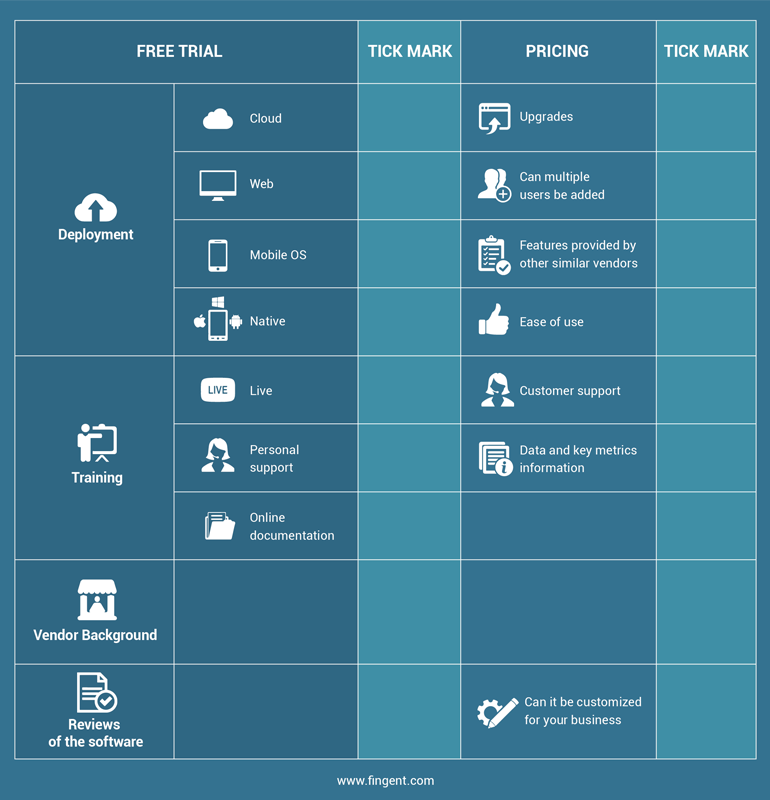
With logistics pushed to the forefront of business operations, leveraging the right technology can make your business compatible with the changing environment.
Outsourcing to a software development vendor will help deploy scalable software for logistics management into your entire supply chain operations. A global software solutions provider like Fingent can give you the advantage of custom logistics solutions built solely based on your requirements.
How logistics software improves efficiency
Logistics management software guarantees more efficiency and control over the logistical and supply chain operations of a business. It means simply substituting the existing manual methods with a software-centric solution. The array of features in a logistics system can refine the entire logistics cycle right from its center. For owners, vendors, and the end customers, using an LSM (Logistics Software management) model opens up improved collaboration, which is the essence of effective logistics management.
Opt for logistics software requires considering all the criteria mentioned above. For a business, it involves addressing their needs and then choosing one that wraps around their existing processes. By integrating an LMS into their operations, companies could reduce their turnaround times and streamline the overall cycle of planning and delivery while keeping up with the customers’ requirements.
Read more: Build or Buy Logistics Software – An End To The Prolonged Discussion
Transitioning into Cloud-Based SaaS: The Future of Supply Chain
With cloud computing gaining momentum in 2021, a whole new way of processing data is unveiled. The tech innovations in 2021 have influenced the supply chain and logistics operations. Increased adoption of supply chain and logistics solutions in 2021 will lead to a shift from the on-premise model to the SaaS model.
Predictions estimate that a subscription-based SaaS model will dominate supply chain management in 2021 and beyond. Adopting a cloud-based supply chain solution offers benefits in the form of flexibility, robustness, and affordability. Free and open-source software adoption has made the Cloud the primary choice for logistics providers and organizations worldwide.
Cloud-based SaaS supply chain solutions offer numerous benefits. It gives a comprehensive outlook on the overall operations in logistics by making processes more transparent and collaborative. Implementing a cloud system reduces the upfront and operating costs. It also offers the ability to scale up with the business needs and enhances supply chain efficiency.
To sum up,
Opting for a logistics solution is one step to simplifying the entire cycle of logistical and supply chain operations. Effective management of each process from procurement to delivery requires a custom logistics management solution that can accommodate each provider’s demands. For instance, an organization lacking an in-house logistics department needs a software management tool that can wrap around their existing methodology and improve it.
By partnering with a vendor specializing in software development, businesses can deploy logistics management software tailored to their requirements. Pioneers in custom software development like Fingent can assist companies from wholesalers to distributors to e-commerce with the advantage of custom logistic solutions. Get in touch with us to spearhead your operations swiftly and efficiently.
Stay up to date on what's new

About the Author

Featured Blogs







Stay up to date on
what's new



Talk To Our Experts
Custom Accounting Software Development: Understand the Steps, Cost, and Benefits!
Small business accounting software is a system that helps maintain a count of business revenues, cash reserves, loan allocation, cash flow, and payment data. There are several pre-packaged commercial accounting software available to meet business requirements. However, custom development of accounting software helps address a business’s specific needs.
View infographic: What are the advantages of custom software over commercial off-the-shelf solutions?
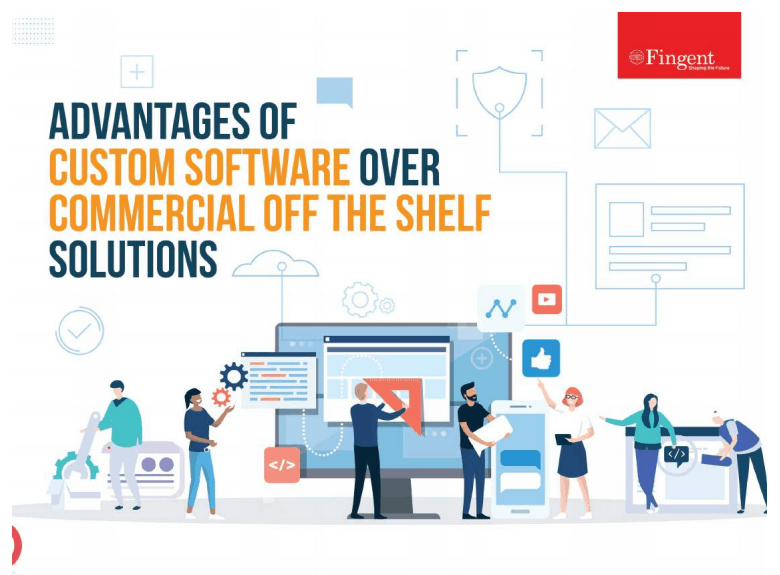
Custom accounting software is developed keeping in mind the specific needs and goals of your company. Typically, a custom accounting software system helps businesses streamline business operations such as cash flow tracking, tax calculating, internal auditing, financial transactions, business analysis, and reporting.
Small business accounting software solutions help reduce human resource costs and increase overall productivity. Most start-ups adopt accounting programs to boost competitive advantages to develop into mid-size and large companies.
Read more: Custom Software Development is the Ideal Way to Build Business Apps in 2021
Benefits of custom accounting software
1. Improves efficiency
There’s no denying that technology works faster than humans. All you need to do is input the data correctly and command it to perform the function. The software will perform all the tasks within the stipulated time frame. Simply put, custom accounting software does all the finance-related work while the business owner can concentrate on your business.
2. Reduces human errors
Regardless of your business’s size, you need an accounting system. Otherwise, managing all the accounts can be a daunting task. In the process, there will be some chances of human errors. A custom accounting software will perform all the functions with technical efficiency and helps in reducing human errors.
3. Saves time
Custom accounting software allows you to perform more tasks in less time and enables business growth. With small business accounting software, your resource hiring and maintenance costs will come down as the software allows you to handle more accounting jobs in less time.
4. Better financial monitoring and reporting
When financial operations are handled manually, the financial reports are usually prepared at the end of the year. Organizations can reduce this mundane task with the help of custom accounting software. It can generate the report at any time and help you identify any problems beforehand.
5. Faster data processing
When it comes to accounting, you must have experienced and efficient people to register and process all the data before using it. Custom accounting software makes this process easier and faster.
Significance of small business accounting software
Business accounting includes a wide range of operations to capture the entire financial situation of an organization. Done manually, it is time-consuming and a daunting task. However, custom accounting software has helped automate all the processes, allowing business owners more time to concentrate on other vital business aspects.
Without accounting, it’s impossible to do business. The accounting team makes it possible to evaluate the progress of the organization. It gathers information, creates arrangements, and evaluates the financial data of the organization. Small business accounting software simplifies financial reporting and management of operations.
Steps involved in custom accounting software development
Step 1. Define an idea
So, you got an excellent idea for your small business accounting software? That’s great! The idea itself is enough to kickstart the project. Next, you need to solidify it into an actionable strategy. Your team should take the initiative, perform analysis, identify the additional functions and features that will be feasible for the system.
Step 2. Design the UX/UI of your system
After assessing the project, the next step is to start on the prototypes and designs. The cost of software development tools is often based on the number of features the solution requires. As a business owner, you can ask the developer to design the app according to your business needs.
You will be able to decide what to add and delete during the initial phase. Once the software’s framework and future design are accepted, you can switch to determining the accounting software’s functionality.
Step 3. Decide the features and functionality
Some of the critical features you need to include in the software are:
- Account management
- Inventory management
- Invoice processing
- Multi-user support
- Budgeting
- VAT calculations
- Third-party app integration
- Sales order
- Payroll management
- Credit tracking
- Payment management
- Advanced analytics
- Billing management & record keeping
- Generate reports
Step 4. Develop the software
Designing accounting software is a complex and time-consuming process. However, using a questionnaire development approach can help develop appropriate accounting software.
Designers and QA engineers need to compose test cases before the actual development work. This will prevent any bugs in the future. At Fingent, our developers know the trending designs and develop applications using configuration management techniques to ensure proper software development methodology. Before that, we guarantee to address all the steps and innovations.
Step 5. Deploy and maintain
After the development of the software, the project is implemented and ready to use. The application may need tracking and improvements to stay relevant. Therefore, a support and maintenance team is a must for small business accounting software. The team must resolve issues and cope with problems in case of any crashes.
Cost of custom accounting software development
The development cost depends on several factors, such as the software’s features and techniques. The more features and tools you require, the more money you may need to spend from your pocket.
Additionally, you will have to consider the production period- the longer it will take, the more expensive it will be. The cost would also rely on the developers you employ to create your software.
Read more: Offshoring Software Development: Here’s All You Need to Know
Choosing the right partner for custom software development
Custom accounting software development may seem challenging, but it proves worthy in the long run as it allows your business to stay out of chaos. When businesses go for custom software development, they can build new capabilities on top of existing enterprise applications. Custom software solutions appeal to tech leaders and companies of all sectors globally. In today’s dipping economy, software development companies like Fingent help businesses restart or rebuild what they lagged with custom software solutions.
Read more: Points to Consider Before Choosing the Best Software Development Company
Being the top custom software development company, Fingent helps you identify the right tech stack and skills required to develop your software. Are you wondering how to boost your company’s growth and operating efficiency? Talk to our expert right away and get your questions answered.
Stay up to date on what's new
About the Author
Featured Blogs
Stay up to date on
what's new
Talk To Our Experts
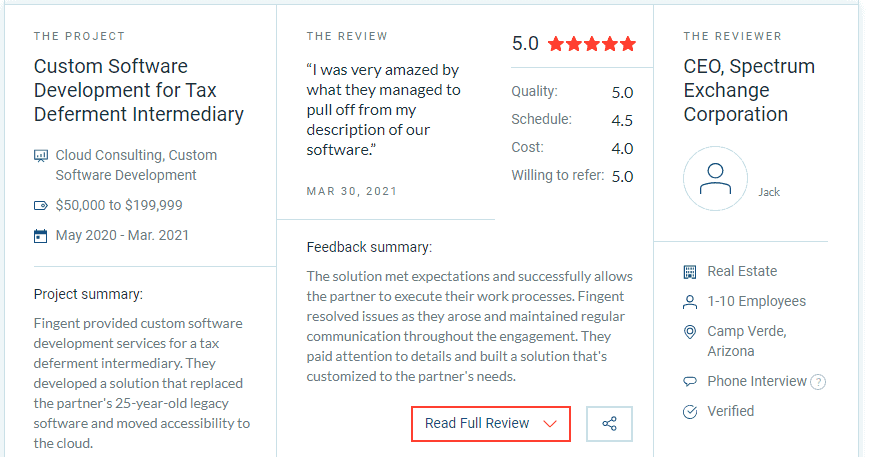
Clutch Hails Fingent as India’s Top Software Developer for 2021
We are thrilled to announce the news!!!
Fingent is once again recognized by Clutch for its many innovations and robust industry solutions. And this time we are ranked as the Top Software Developer for 2021, in India!

Why is Fingent recognized as India’s Top Custom Software Development Company?
Our focus here at Fingent is to help emerging enterprises make a difference with improved business agility and efficiency that’s powered by cutting-edge web and mobile solutions. Our goal always lies in delivering next-generation enterprise applications that streamline business processes and promises unique user experiences.
We make sure that our clients get what they expect and more. With our expertise in emerging technologies, we deliver custom, pre-packed, and hosted applications that support all operating systems and cloud platforms for improved business reach and growth.
Moreover, we don’t just build software! We collaborate with businesses to understand their struggles in the market, and determine the perfect technologies that can enhance their capabilities and grant them a competitive advantage. We also make sure to bring these solutions promptly and cost-efficiently.
Here’s looking back at the success stories of some of our Indian Clients!
GST Implementation in SAP: With the changing regulations of GST policies in India, our client, HOCL, an enterprise owned by the Government of India to indigenize the manufacturing of vital organic chemicals, wanted to integrate GST into their SAP system and support the GST implementation. The enterprise, consisting of complex and critical workflows, required the implementation to be quick and fast adaptive to the existing environment.
What we did was a 100% compliant GST implementation in the customer’s SAP system, while carefully addressing all taxable scenarios and specific requirements. Our strategized and timely implementation of GST changes into the customer’s SAP system, ensured zero deviation from the regulatory timeline, and zero effects on the business continuity.
An E-commerce Platform to Streamline Medical Procurement: Analyzing the challenges of the healthcare industry in procuring quality medical supplies, Kogland required a streamlined platform to seamlessly connect top vendors and trusted brands with healthcare organizations.
Fingent helped the firm develop an e-commerce platform that delivered a hassle-free shopping experience for healthcare sectors, as well as a trusted selling platform for healthcare vendors. Capabilities around Magento were utilized to serve the front-end of the e-commerce functionalities, whereas advances in Odoo to structure the back-end operations of the company, including sales, purchases, inventory, and accounting.
Based on these successful projects in India, in research conducted by Clutch in 2021, Fingent stood as one of the top software development companies in India!
Clutch is a popular B2B rating and review platform that crucially evaluates tech service and solution companies based on their client reviews and work qualities. We are thrilled and excited to have been awarded this title from Clutch, and we look forward to more successful client stories and achievements in the future.
We are also truly thankful to our clients who constantly support us by posting their honest reviews and thoughtful feedback on the Clutch website.
“We are recognized for our clients, and that’s why we make sure that their dreams and ideas come to life with the advances and expertise we have in technology today! We are truly thankful to Clutch for appreciating our efforts.”
– Varghese Samuel, CEO & Managing Director, Fingent.
If you are looking for a technology partner to innovate your business ideas, then contact us now, and let’s talk about your project and goals.
Stay up to date on what's new
About the Author

Featured Blogs
Stay up to date on
what's new
Talk To Our Experts
How to gain maximum value from technology investments for your business?
The slow economy stemmed from the COVID-19 pandemic is forcing organizations to identify and cut all unnecessary costs. Unfortunately, technology investments also fall prey to these budget cuts. It happens when businesses invest in technology without adequate planning.
According to a survey, 29.2% of respondents holistically examine their technology usage while searching for efficiencies. It may mean canceling or delaying new projects and purchases or reducing or canceling maintenance and support contracts for existing investments.
Research by Accenture reveals that while 47% of the companies are building their future growth strategies on mobility and technology, considering inefficient technology as one of the top hindrances to their growth. It is clear that IT-led innovation is the need of the hour, and 82% of companies are investing specifically in technology for improved growth.
Simply put, now, it is crucial to improve the return on investment of resources, optimize costs, and select the right solution when making sourcing decisions.
Read more: Navigate The Business Impact Of COVID-19 With These Hot Technologies

Here, we share a few tips to help you gain full value from your technology investments.
Ways to optimize costs
Gartner reveals that optimizing costs is essential for businesses and is one of the best ways to control spending and attain cost reduction while maximizing business value.
Optimizing costs should take into account:
- Automating and digitizing business operations
- Simplifying and standardizing applications, platforms, processes, and services
- Obtaining the best terms and pricing for business purchases
While this means ensuring that technology investments generate the maximum possible value, it also means cutting costs and considering how each technology investment drives business value.
Some technology may be expensive, but it doesn’t mean that it isn’t providing value to the organization. Expensive technology may already be optimized because of the value it generates, while inexpensive technology may be unused and wasted. Therefore, it is important to make the right decisions regarding purchasing hardware, software licenses, or cloud services contracts.
Once you have identified and mitigated what you do not need and what you need, there are no more costs to reduce. It is time to look at how to optimize technology assets.
Ways to get the most out of your tech investments
Despite the cutbacks and search for savings, many organizations continue to invest in technology projects and accelerate their digital transformation initiatives. However, even with the economic slowdown coupled with pandemic-related uncertainties, organizations that have performed well during 2020 are looking to increase resilience by reducing risks and demanding shorter ROI periods on investments.
That said, the key to maximize ROI is preparation. It is essential to know that you’ve selected the right solution and are ready for implementation. Several surveys done in the past suggest that the software chosen is rarely the reason for any IT project’s failure. And a few leaders even agree with this, revealing a lack of investment in preparation, project management, and implementation. Even the simplest of IT systems require some amount of work to install and configure. So, the more complex your environment is, the more careful you will have to be.
Read more: 11 Practices Followed by Leaders to Build Resilience and Ensure Rapid Business Recovery

Key factors to consider while developing a technology strategy to improve corporate performance are:
Investment profile: Your management team must identify your IT investment percentage (allocated to build significant capabilities) versus the foundational investment. Ideally, foundational investments should not be more than 40% of the total annual investments.
Organization focus: You must identify whether a significant portion of your internal resources aims to drive innovation or growth. Also, find out if you have the proper operating processes in place to drive these investments.
Tenure: You will have to figure out if your workforce has the right experience and skills to achieve the target.
Investment economics: Move over traditional measures and instead identify newer ways to evaluate your projects and investments.
A few technologies worth investing
Following are some of the technologies worth investing in the present business scenario:
- Artificial Intelligence (AI)
- Blockchain
- Internet-of-Things (IoT)
- Cloud
- Cybersecurity
- Self-driving technology
- Streaming media
Tips for getting maximum value from technology investments
To get maximum value from your technology investments, you should:
- Be prepared with clear objectives and outcomes. You must ensure that your vision aligns with that of the new technology vendor.
- Ensure that you have people, processes, and governance for leveraging the technology when deployed, reducing the time to both value and ROI.
- Identify and assess your data sources’ quality to develop appropriate metrics for accuracy and completeness of data and check for any improvements.
- Invest in the implementation and system or process integrations to make sure they are carried out successfully. If you are using any third-party service provider for the implementation, ensure that you hire a reliable and trained team like Fingent.
- Identify users and key stakeholders and invest in their time to maintain the system.
- To reap benefits early in the project and demonstrate the value of initial investments, take a phased approach. Phasing could be by business unit, geography, or environment depending on the organizational structure and business goals. This will ensure that the project is manageable.
- Provide both initial and ongoing training in phases to allow end-users to familiarize themselves with the features and functionalities they have learned about before undergoing further training. That said, make sure the new users are also appropriately trained.
- Ensure that third-party consultants have completed their vendor training or certification programs before allowing them to use your tools. Also, check if you are using the latest version of the tool. If needed, arrange for additional training.
Read more: Fingent Speaks: What it Takes to Build a Successful Digital Transformation Strategy
Be smart with your tech investments
With technology and digital transformation becoming more pervasive across all industries, technology investment can make a huge difference in winning or losing a business. By focusing on the tips discussed in this article, companies can maximize value from their technology investments.
Technology wins only if it can appease users. A bad customer experience forces the customer to switch from vendor A to vendor B. Not only should you identify and invest in the right technology, but make an emotional connection to craft human experiences that drive customer satisfaction and differentiate you from your rivals.
Fingent helps you make a fortune out of tech investments by helping you leverage the latest technology trends. Our business technology consulting services focus on helping businesses tackle technology problems, attain business objectives, and derive value from tech and IT investments. Chat with an expert to learn more.
Stay up to date on what's new
About the Author

Featured Blogs
Stay up to date on
what's new
Talk To Our Experts
Is custom software poised to fulfill business needs in 2021?
From small firms to established companies, the COVID-19 pandemic has forced businesses and leaders to embrace digital transformation. Businesses are spending more on custom software solutions to ensure smooth workflow as they switch their operations to virtual workspaces. Custom software development and mobile application development have become inevitable for business growth and success. As technology advances, intelligent interfaces and highly intuitive cognitive capabilities transform businesses in unimaginable ways.
Custom software solutions appeal to tech leaders and companies of all sectors globally. In today’s dipping economy, software development companies like Fingent help businesses restart or rebuild what they lagged with custom software solutions.
Read more: 5 reasons why custom software development is important to your business

What is a custom software solution?
A custom software solution is the best response for both clients and customers to adapt to the new normal. Currently, many organizations are allowing their employees to work from home, thereby limiting physical interactions. Such organizations adopt customized software applications tailored for specific use by their employees. Remote working software tailored to meet specific workplace requirements and maintain privacy without affecting the workflow allows businesses to better serve their customers.
Simply put, custom software development involves designing, developing, implementing, and managing a particular software application used by a specific set of audience, functions, or organizations.
A software development company first analyzes the business and its product requirements to develop customized scalable, dynamic, and cost-effective software solutions. It helps meet the needs and preferences of the customers, clients, and the organization at large.
The new normal is making it difficult for businesses to obtain a competitive edge, so they resort to custom software applications rather than off-the-shelf software development. Thanks to these tailor-made solutions, work is becoming easier and enabling businesses to take a step ahead.
What is the difference between custom software and commercial software?
Custom software solutions are designed and built to adapt to the changing market demands. Off-the-shelf software allows businesses to adjust to their expertise. Commercial off-the-shelf applications come pre-packaged and are purchased by enterprises to carry out their tasks. Custom software enables you to retain only the features you use and supports scalability in the future.
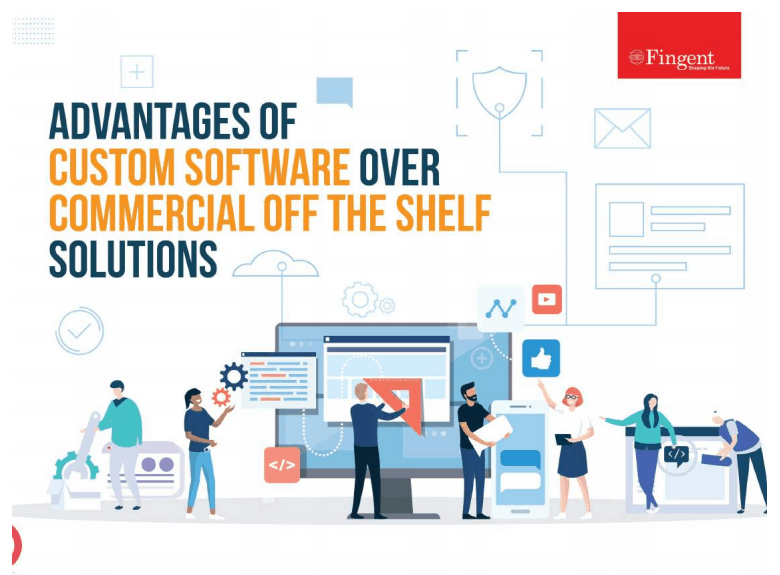
View infographic: What are the advantages of custom software over commercial off-the-shelf solutions?
Why do businesses need custom software development services?
Custom software solutions are one of the best ways for businesses to survive in today’s uncertain market. Moreover, custom software development assures that your data remains secure and confidential as there is a high amount of data security risk with off-the-shelf software. Custom software is the best option today, considering your business’s privacy, security, and accountability. As custom software is made exclusively for in-house use, the associated risks are low.
What are the benefits of custom software solutions?
1. Improves efficiency
Custom software is designed to support the specific processes followed by a business entity and its users. Hence it improves the productivity and operational efficiency of the business and its employees. By automating mundane tasks and tweaking the workflow to eliminate unwanted elements, custom software implementation adds business value.
2. Reduces integration costs
Most of the commercial off-the-shelf software fails to work with existing and legacy applications. If it does not comply, businesses will have to invest further to ensure that the prepackaged software operates with the existing infrastructure. On the other hand, custom software integrates well with the current environment and adapts to a business’s needs.
3. Scalability
Custom software can grow as the business expands or changes. Developers can assess future requirements and incorporate them into the application. It can save costs associated with purchasing additional licenses or subscriptions of commercial applications.
4. Profitability
Investing in custom software development increases the profitability of a business. Depending on the project’s terms and conditions, the organization that creates custom software can own it or license it or sell it to other organizations.
5. Independence
As you will be free of a commercial software vendor, you need not worry about price hikes for licensing and support or whether the vendor terminates a product or goes out of business. However, the business that develops and uses custom software should bear the cost of maintaining and supporting the software. So, every organization must carefully decide whether it’s better to buy or build.
Read more: How to Choose the Right Custom Software Development Firm
Technologies and practices to consider in custom software development
1. Open-source
Open-source indicates that the software source code is open to the public and the development community to use. For example, Microsoft, Linux, and Google. Open source can significantly improve development productivity through software component reuse and improve interoperability by avoiding proprietary architecture.
2. Artificial Intelligence (AI)
Artificial Intelligence allows the software to replicate human decision making and learning. It can enhance the development process. For example, natural language processing (NLP) is used to analyze requirements from elaborate texts and recommends improvements based on best practices. AI technologies such as machine learning and modeling may also be incorporated into applications through application programming interfaces (API) and cloud services.
3. Blockchain technology
Developers are leveraging open- source hyper ledger technology and blockchain ledgers to build new types of secure transactional and financial applications that can boost business processes.
4. Cloud-based development
It brings the advantages of cloud computing by hosting development environments in the cloud. It supports design, coding, integration, and other development functions to build on-premises and cloud-native applications. These environments also promise cost control, speed, and on-demand convenience.
5. Mobile application technology
With the customers’ buying behavior shifting from products and services to experiences, mobile application technology is a must. So, developers have to connect mobile apps with data to improve and enrich the user experience.
6. Analytics technologies
These technologies enable software applications and their users to understand data through dashboards, visualizations, and predictive capabilities. AI, cloud-based services, and automation make it easier to incorporate analytics into applications.
The health crises and economic uncertainties brought in by the COVID-19 pandemic have compelled businesses to adopt solutions tailored for use by their employees and customers. So, opting for custom software solutions is a wise decision as they can be customized to suit your business needs.
Read more: 5 Custom software development trends every business should know

While the initial investments seem a bit high, custom apps will get you a higher ROI in the future. If you are looking for a custom software solution for your business, all you need to do is select a trusted and reputed company like Fingent. We first understand your requirements and help preserve your accountability in the market. To know more, please don’t hesitate to get in touch.
Stay up to date on what's new
About the Author

Featured Blogs
Stay up to date on
what's new
Talk To Our Experts
How AI is transforming businesses worldwide
Post the PC and the dot-com revolution, the world is witnessing another significant disruption- Artificial Intelligence.
Businesses that implement AI applications will have better access to data across multiple functionalities such as customer relationship management, enterprise resource management, fraud detection, finance, people operations, IT management, and other crucial segments. AI helps businesses find solutions to complex problems in a more human-like way and automate processes. Organizations can redirect their resources towards more creative aspects such as brainstorming, innovating, and researching.
The COVID-19 pandemic required solutions in days, not weeks or months, and business leaders needed to act quickly. AI-based techniques and advanced analytics are helping organizations augment decision making during crises like the coronavirus. While machine learning models were a great choice, developing machine learning models or advanced analytical models would take around four-eight weeks. So, the pandemic accelerated the demand for developing minimum viable AI models quickly.
Despite the many naysayers who believe robots will take over human jobs in the future, AI is already revealing itself as more of an enabler than a disruptor. Here are nine examples of artificial intelligence transforming business.
Read more: How Will Artificial Intelligence Transform The World By 2030

1. Sales and business development
As lockdowns and stay at home orders continue, people are now moving from personal interactions to digital interactions such as online shopping and mobile banking. This shift has created many new and unstructured data that is hard to interpret. That’s where AI comes into the picture and helps understand what consumers feel and need.
AI-powered sales performance solutions can identify which customers are most likely to buy a company’s product or service. This model will help people in sales prioritize their customers and improve their productivity and effectiveness.
2. Demand and Supply
Most companies are interested in matching demand and supply. For instance, a steel company may have information about various factors that may influence steel demand. Typically, these demand measures depend on external data to match up with what the company’s supply chains can generate.
AI solutions help analyze these external data and ensure that the company is not producing more than you need to satisfy the demand and not leaving any request unfulfilled.
COVID-19 crisis is unprecedented, and companies have to make sure that they use data that is representative. Historical data allows you to gain insights into upcoming demand patterns and predict possible outcomes.
3. Back-office tasks
Companies can leverage AI-powered cognitive assistants to perform their back-office tasks such as ordering new credit cards, canceling orders, or issuing refunds. If these assistants cannot handle complex tasks, human assistants can perform those tasks. It will ensure that the team members spend their time solving challenging problems and focus on productive activities.
As long as there are structured tasks, Robotic Process Automation can take care of back-office service operations. RPA is particularly useful for automating the claims processes of banks or insurance companies. Enterprise platforms like SAP offer Intelligent RPA that combines automation and artificial intelligence to augment business process automation.
4. Cash-flow forecasting
As revenue systems dry up, cash flow is likely to be a severe concern for smaller businesses. However, several AI solutions can analyze data (only if representative) for cash-flow forecasting.
Read more: 6 Ways Artificial Intelligence Is Driving Decision Making

5. Document and identity verification
AI can identify and verify documents easily. For example, think of a bank that needs to verify customer data for onboarding and compliance. Human agents manually verify documents such as driving licenses or payslips and other relevant records. It is a costly and inefficient process.
AI is used to identify the type of ID document captured, perform face-matching, determine if the ID’s security features are present, and even determine if the person is physically present.
6. Travel and transportation
The transportation industry forms an integral part of a country’s infrastructure. As many employees may have to self-isolate during the COVID-19 crisis, AI solutions can analyze the number of staff needed by a travel company to run its business in these unprecedented times. For example, a company can request AI to provide information on whether they have enough workers to staff a railroad. Here, AI can help identify demand and supply from the laborers’ standpoint.
AI is already being used in the transportation industry to reduce traffic congestion, avoid accidents, improve passenger safety, lower carbon emissions, and reduce overall financial expenses.
7. Healthcare
From robot-assisted surgeries to safeguarding personal records against cybercrime, Artificial Intelligence is transforming the healthcare industry like never before. The healthcare industry has suffered in terms of medical costs and inefficient processes.
AI-enabled workflow assistants are helping doctors free up 17% of their schedule. Virtual assistants are reducing redundant hospital visits, thereby giving nurses almost 20% of their time back. Also, AI helps pharmaceutical companies research life-saving medicines in a shorter time frame and reduce costs. More importantly, AI is being used to help improve healthcare in underdeveloped nations.
Read more: 7 Major Impacts of Technology in Healthcare

Examples of AI in healthcare:
- PathAI creates AI-powered technology for pathologists to help them analyze tissue samples and diagnose them more accurately.
- Atomwise uses AI and deep learning to improve drug discovery and to speed up the work of chemists.
- Pager is using artificial intelligence to help patients with minor pains, aches, and illnesses.
8. Finance
The financial sector relies on real-time reporting, accuracy, and processing of high volumes of quantitative data, where AI can enhance the processes. The finance industry is rapidly implementing chatbots, automation, algorithmic trading, adaptive intelligence, and machine learning into financial operations. For instance, Robo-advisor, an automated portfolio manager, was one of the biggest financial trends of 2018.
A few examples of how artificial intelligence transforms the financial industry:
- Betterment uses AI to learn about an investor and create a personalized investor profile based on their financial plans.
- Numerai is an AI-powered hedge fund that uses crowdsourced machine learning from many data scientists worldwide.
Read more: Artificial Intelligence and Machine Learning: The Cyber Security Heroes Of FinTech
9. Social Media
With over 3.6 billion active profiles and about $45 billion in annual revenue, social media is invariably in the battle to personalize and provide a better experience for users.
AI can organize massive amounts of data, recognize images, predict shifts in culture, and introduce chatbots. The technology has the potential to make or break the future of the social media industry.
Similarly, machine learning enables social media to identify fake news, hate speeches, and other anti-social activities in real-time.
Final thoughts
With the advancement in technologies, AI is improving possibilities taking businesses to the next level. These examples of artificial intelligence prove that artificial intelligence can transform business models if deployed correctly.
Case Study: Development of AI-enabled chatbots and teaching assistants – How Fingent helped a leading university to create an Automated Intelligence-driven ecosystem

Fingent helps you leverage AI to drive the smart reinvention of your business workflows, processes, and technology. If you are looking to develop an intelligent infrastructure for your business or improve the security process or enhance the customer experience, contact us today!
Stay up to date on what's new
About the Author
Featured Blogs
Stay up to date on
what's new
Talk To Our Experts
In Conversation with Stephen Cummings, SVP, Infince
Infince represents the next phase of cloud for enterprises. Being a progressive approach to running IT, Infince democratized the cloud enabling businesses of all kind to leverage its possibilities. Unveiled at the 2018 Small Business Expo, Infince marks a shift in “untangling technology”, which simplified how businesses utilize the cloud for refining their processes and operations. Infince delivers a secure cloud model that encompass all the essential IT requirements of enterprises.
As a radically different enterprise cloud system, Infince really invoked my curiosity to know more about its simplified cloud model. Stephen Cummings, the Senior Vice President of Business Development at Fingent Corporation was earnest enough to spare a little time from his busy schedule and give me a firm background about Infince in accordance with the questions that I presented. He elaborated on the features and functionalities of Infince, which got me well informed of the capabilities of this platform.
Thank you, Stephen, for your time. Let us begin this short interview with a brief description of what Infince is about.

So, can you tell us a bit about Infince and who is it aimed at?
Up until now, cloud technology has been structured for use by, and marketed to, a technical audience of developers and IT professionals in large corporations. We developed Infince to both simplify how businesses get the software and related support and to dramatically lower their IT-related costs. By building upon the latest developments in cloud-based systems, and incorporating available open source software, we have been able to pull together the things a small business needs to have a secure, modern IT infrastructure – from a company website and mail server to full-featured enterprise software and desktop tools.
Infince is the new way for small businesses to run IT.
Business owners don’t have time to learn about digital tools or to manage them, and they don’t have money to waste. We give them high-value technology options that are intuitive and affordable. Our concierge support services are at hand whenever there is a technical question or concern.
What led you to develop a cloud platform like Infince?
Survey after survey showed that a large percentage of small businesses were not taking advantage of technology that would help them significantly improve their ability to serve their customers. In today’s internet-focused world, their lack of technology puts them at a serious disadvantage to their more nimble competitors. Many companies were discouraged from using existing open-source software, which, though free of cost, did require technical knowledge to get set up.
At the same time, we knew that new developments in cloud and communications technology were making it possible to deliver solutions for them in a completely new way. For open source specifically, we knew if we could automate the setup process, a further barrier to its use would be eliminated. What we were able to do is to make software set up a “one-click” process and to do the same for support services.
Business owners can not only get up and running easily and quickly, but they can do so without anxiety because they can easily use a “life-line” to have someone knowledgeable lend a hand.
Yes, technical complexity and jargon are preventing businesses from adopting the technology. In view of that, can you elaborate on the challenges that you came across while developing this platform?
To make a system both powerfully featured and easy to use meant we had to meet a number of design challenges. How could we make the setup fast and automatic, even for business owners who may not be very technical themselves? How can we make it easy -whether a business owner is technologically intrepid or not – to leverage the options that make sense for their business?
How can we make application software developed by many independent developers work well together? How can we accommodate a flexible and economical infrastructure that works for simple or complex applications, and for small or large companies?
How can we make the user have a friendly experience, for example with a “single-sign-on” capability across all applications? How can we give users an even more secure system than is typical?
With data privacy and security featured again in the news, how much protection does a business cloud platform like Infince offer to businesses?
We have given a lot of focus on data security as it allows people to build trust within the application and its information – which is one of the most important factors. Every customer’s data is hosted on a separate secure virtual server. Our secure servers and SSL built for applications ensure that there is no information that is being tracked or eavesdropped by any external entities.
How much relevance does cloud computing have in today’s business environment? And where does Infince fit in this environment?
In today’s business environment, a business owner needs to have access to her data right when she needs it, irrespective of her location or geography and the device she is accessing it from. This is what cloud computing provides – an access to one’s business data at any time and anywhere you have an internet connection. Apart from this obvious benefit, cloud computing also improves scalability, business continuity, collaboration efficiency and reduces cost. So yes, cloud computing is going to be here for the foreseeable future.
Cloud computing is an umbrella term for different types of cloud services, that include SaaS, PaaS & IaaS. Infince can be considered as an IaaS service as we provide the servers, storage, and networking hardware, as well as the virtualization layer. On top of that, we also leverage SaaS to offer a plethora of tools and applications that will cover all the technology needs of an SMB. Infince is thus a unique combination of IaaS and SaaS to cater to all the IT needs of a small business.
Read more: Top Trends That Will Transform Cloud Computing in 2020 and Beyond!
Will Infince’s concept of cloud management for businesses lead to a better form of managing and optimizing business processes?
Infince is an IT solution for SMBs. A small or medium business owner needs technological solutions for a variety of business needs, but may not have an IT budget that is large enough to afford the top of the line enterprise software solutions. On the other hand, we have a lot of feature-rich Open Source software that are competitive alternatives to Enterprise Software.
The challenge here is that installing, customizing and setting up an Open Source software requires technology experts in the team. Off the shelf SaaS products will need the employees to access various products through multiple channels with multiple logins, with no single source for all of the business data.
Infince is a solution to this problem. We are constantly integrating good quality Open Source and third-party tools into our App Marketplace. With a few clicks, an Infince customer can add the desired App to his Infince Workplace.
The new software will automatically be integrated through Single Sign-On, becoming part of their IT system. This ease of plugging in business apps on demand makes Infince a powerful IT solution for SMBs.
What are the potential benefits that small and medium businesses can derive from using Infince?
In terms of setting up Small & Medium businesses, the ability to collaborate with their internal team and carrying out business activities has substantially improved and can be managed accurately using Infince — which no platform provides. Going further, different departments within a company can be micromanaged and this increases transparency by also allowing user restrictions across Infince.
Security is another key area that benefits our customers, as nowadays the emails, files that we share travel through various servers before reaching us, and there can be eavesdropping and privacy can be at stake. We provide servers that are managed by us to send emails and fresh dedicated email servers can also be bought at a very less cost.
How do you envision the future of Infince and what new improvements and upgrades will be implemented in this solution in the coming times?
Infince stands for “Infince Cloud for Enterprise” and that’s the vision driving us. By continuously integrating more and more applications in our App Marketplace and innovating our cloud solution, we aim to arm SMBs with the latest technology and tools. The business owners can concentrate on growing the business while we take care of their IT. Our work never stops!

Compared to other enterprise cloud platforms, what specific features have you included in Infince to make it a popular dependable platform?
Compared to other enterprise cloud platforms, we are providing one-of-a-kind platform wherein business can access numerous Open Source applications, with a Single-Sign-On option to effectively run their businesses. Apart from that, all the servers, hosting and basic support for Open Source applications are offered by us and an extremely affordable cost and is secured. Our features, costing, and level of services have been brutally transparent and there have not been any hidden costs involved which sets us apart from our potential competitors.
Does the extended storage options given at Infince come in specific tiers?
We prescribe a minimum of 2GB storage per user. Additional storage can be bought from a minimum of 10GB upwards. The real benefit for Infince customers is that they are in control of how the storage is allocated across the users. The business owner is free to do a differential allocation of the extended storage across users, as per individual requirements.
That indeed provided me with some in-depth information about Infince. In a way, the open accessible cloud model that you envision clearly does have much larger potential in the coming years. Deep down, I do believe in the same thing, which is that all businesses should be given the means to utilize technology to their advantage.
By creating a platform like Infince, Fingent Corp has indeed opened the doors of the cloud to businesses of all kind, so that they could remain technologically competitive and productive. Thank you, Stephen, for granting this interview and wishing the very best for all your ventures.
To learn how your enterprise can benefit from custom-built business applications, get in touch with our experts today!
Stay up to date on what's new
About the Author

Featured Blogs
Stay up to date on
what's new
Talk To Our Experts
Identifying 7 Common Mistakes in Tech Projects
As a non-tech business, you are an expert on the product or service that you are selling. That is your core competency, not information technology. Still, some businesses feel they can do it themselves. That could cost you a lot more than you think. Technology by nature is like a moving target and pinning the best technology solution requires quite a bit of work. Treating tech projects as an afterthought is a mistake that non-tech businesses make far too often. Worse yet, those mistakes can stall the growth of your business. Avoiding tech mistakes, especially the high impact ones, will be the thing that ensures the success of your business.
What are the 7 deadly mistakes non-tech businesses make on tech projects and how you can avoid committing those mistakes? This article will help your company navigate the complex and confusing world of technology.
Mistake #1. Skimping on Security
Most small businesses might conclude that their business isn’t that big to become a target for hacks and data theft. Unfortunately, security has become the number one issue even for small businesses with increased online scams, software vulnerabilities, and networks using improper architecture. Can you imagine the impact on your business if your trade secrets, customer information, HR records, and confidential communication fell into the wrong hands!
One of the top security risks most businesses often ignore is the failure to encrypt their emails. Some discard email encryption either because it is costly and complicated, or because they feel that the threat is insignificant. You can prevent much pain and loss by encrypting your emails. Always assume that every email you send could be intercepted by unethical hackers.
Try this: Set up an email encryption system to protect all your emails and their attachments.
Read more: Emerging Security Technologies To Consider For Your Organization
Mistake #2. Patching New Software On Old Hardware
Most often than not software publishers release new upgrades that require a significant hardware upgrade in order to run the newer version. Many businesses purchase the latest version of the software without considering its hardware requirements. The use of old computers and their hardware can be problematic since these devices generally lack the latest features, hang too often, and are slower at common tasks like launching the application, booting up, printing, and internet search. This can result in a failed upgrade and can bring your business to a screeching halt until new hardware can be put in place or until the old version is reinstalled.
Try this: Before you purchase an upgraded software, check the minimum system requirements needed for the software to run smoothly and ensure that your existing system meets those standards.
Read more: Tips for choosing the right Business Software – Tools vs. Solutions
Mistake #3. Skipping The Planning Phase
Planning for IT may seem tedious and time-consuming especially when you have so many things to get done with the running of your main business. However, it is vital that every business, big or small, must plan out their IT initiatives at least once a year. Failing to map-out your technology path can impact your entire business. You must plan your budget for new software and hardware upgrades while considering the need for additional manpower and/or technical support. Planning ahead will ensure business continuity and will spare you from unanticipated problems and setbacks when something fails.
Try this: Decide on a particular month of the year for taking stock and planning your IT structure and requirements.
Read more: Plan Less and Learn Faster Through Lean Business Planning
Mistake #4. Inadequately Trained Employees
Some of your employees may understand technology, perhaps because they had some experience with it formerly or just because they are tech geeks. This is by no means enough to put them on the job to handle tech requirements. One of the most common mistakes that many non-tech companies commit is to try to get the job done with employees who are not adequately trained to use the technology they have at work. There is no alternative to training, it is an absolute must for business growth! Forgoing on the training of employees may render well-intentioned purchases useless and result in a massive loss of ROI. By training your employees you can lessen the likelihood of mistakes and improve overall productivity.
Try this: Take the “train the trainer” approach with your software provider. It is cost-effective and helpful.
Mistake #5. Ignoring Reliable Backup And Disaster Recovery
Businesses today are reliant on their records and data, which are almost completely stored electronically. It is extremely dangerous to assume that your backup system is working properly. A sudden power outage or a server crash can delete all your data within seconds increasing your downtime and the expenses that accompany it. It is a good practice to back up a test directory, erase it, and then do a test restore to ensure that your backup device is working. Also, ensure that the proper data is backed up.
Try this: Have a right backup solution and disaster recovery procedure in place.
Read more: COVID-19- Ensuring Continuity and Building Resilience- How business leaders can respond, survive, and thrive in the new normal
Mistake #6. Not Leveraging Cloud Computing
Most businesses either embrace cloud inconsistently or treat it as an unnecessary expenditure for their tech projects. Cloud computing has emerged as the most efficient platform for businesses than on-premise counterparts. This is because it makes it possible for employees, customers, and other authorized users to access the data at any time from any place. In most cases, cloud-based applications offer greater functionality and are less expensive. Cloud computing is more secure than an in-house computer operation that may lack proper antivirus solutions, firewalls, or backup systems.
Try this: Prepare a cloud strategy and as soon as possible, consider moving some of your applications and data to the cloud.
Read more: Cloud Migration: Essentials to Know Before You Jump on the Bandwagon
Mistake #7. Ignoring Preventive Maintenance
The most common mistake made by businesses on tech projects is the “repair when it crashes” strategy for IT infrastructure. While it may not hurt too much on some issues, can you imagine your 10-year-old server crashing! Now that could cripple your business. If your mission-critical hardware crosses its shelf life as it were, it is time to consider replacing it well before it actually crashes. Just like your automobile, IT software and hardware require regular maintenance and adjustments. Both the software and servers need continued care to perform at optimal levels.
Try this: Avoid overextending the life cycle of servers. Start planning to replace it well in advance. Look for the manufacturer’s instructions on MTBF (mean time between failures) for your equipment.
Read more: Why Get a Maintenance Contract With Your Software Solution Provider?
Don’t Make a Costly Mistake
As a business, you are constantly juggling multiple roles and duties to ensure that everything runs smoothly. Too often, the panic call comes after a technology mistake has been done already. It is crucial to remember that a single mistake could lead to catastrophic loss of data that your business may never recover from. Don’t take chances with your business. Get our experts to help you make those tech decisions and implement them smoothly. Give us a call and let’s get talking.
Stay up to date on what's new
About the Author
Featured Blogs
Stay up to date on
what's new
Talk To Our Experts

Microsoft Office 365
(Word, Excel, PowerPoint, Outlook, Copilot)

Google Workspace
(Docs, Sheets, Slides, Gmail)

Infince
(Enterprise Application Cloud)

Salesforce CRM

Oracle NetSuite

Zoho CRM

SAP S/4HANA Cloud

Microsoft Dynamics 365

Asana

Trello

ClickUp

Monday.com

Adobe Creative
Cloud Applications

Figma

Canva

CorelDraw

AutoCAD

Slack

Microsoft Teams
Infince

Zoom


Wynk

MX Player

VLC Media Player

Spotify

Pandora

Task Automation
Automating routine tasks, such as data entry, sales emails, and marketing emails, saves a lot of manual work and allows employees to perform more strategic tasks.

Data Management
Gather, store, sort, and classify large volumes of information, make informed judgments, and trace patterns.

Communication and Collaboration
Maximizing smooth communication among the employees, partners, and customers, as well as working together on common projects.

Process Optimization
Enhancing organizational workflow and efficiency in different departments, resulting in cost cuts and enhanced productivity.

Innovative and efficient production
Allows the production of high-quality files, presentations, designs, and multimedia output.

Problem Solving
Providing targeted tools to handle specialized business purposes, be it in the field of inventory management, sales forecasting, or data security.

Enhanced customer service and satisfaction
Application software will be able to couple your CRM with other essential business programs. It delivers better and accurate information about the customers, which makes your customer service faster and more effective. Consequently, it enhances customer service and boosts customer satisfaction.

More power to decision-making
As application software gives you more reliable and updated business information, your decision-making process will be backed by accurate data. It helps you keep track of past performances and decisions, forecast future trends, plan your budgets, improve hiring and retention, and define contingency plans. Hence, well-designed application software is a CEO’s companion in every sense.

Improved productivity
Application software is useful in the automation of tasks so that employees can save time on strategic purposes of the business and produce more quantity of work in a particular time. For e.g., OCR programs that decode scanned images or PDF documents, such as insurance, banking, and law industries, can find these very useful. On the same note, RPA applications can minimize monotonous tasks, including responding to emails, checking claims in relation to a prescribed set of rules or checks, or payroll discrepancies.

Robust data security
You can integrate application software with your existing systems in the most secure way with the help of a reliable custom software development company like Fingent. You get complete control over the third-party systems integrated into your software. The application software resides within your firewall and is upgraded and maintained throughout with the support of a partner.

More flexibility
The fringe benefit of using application software is that it provides the freedom to integrate and gather data from multiple sources in a single place. This reduces your time considerably and provides a hassle-free process to create customized reports, avoiding the use of numerous applications to store data.

Seamless management
Application applications are also best at getting rid of risks, conducting research, classification of tasks as well as offering proper solutions with negligible possibilities of human error. Thus, it can be viewed as an ultimate tool that can offer a smooth experience to organizations as they deal with their business operations at large.




AI-Integrated User Experiences
Apps are integrating AI or smart capabilities into the workflows to support users, either in content suggestions, intelligent work automation, personalization, or powerful analytics. AI is no longer an add-on feature; it is becoming an all-inclusive component of your daily workflow within productivity, CRM, or ERP system.

Cross-Platform Development
Organizations are engaging in the creation of mobile applications that do not only ease the interactions between mobile, desktop, and web, but often do so with a single codebase. Frameworks such as Flutter, and react native are facilitating this shift to make the development process faster and reduce maintenance activities.

Low-Code/No-Code Development
Apps can be built by non-developers using a visual interface and drag-and-drop editors. These solutions reduce the costs of development and easing the creation of the solutions as well as reducing the time of creating.

API-First Ecosystems
The API-first design allows the smooth linking of apps, services, and platforms. It promotes flexibility and extensibility features that are paramount to companies with numerous interdependent systems.

Cloud Computing
Cloud-native applications enable companies to dynamically scale, lower infrastructure expenses, and roll out updates. Models such as SaaS, PaaS, and FaaS enable fast innovation and presence at the global level. AWS, Microsoft Azure, and Google Cloud are some of the most prominent platforms.

Hyper-Personalization at Scale
Applications are learning more about user behavior, roles, and preferences in real-time to increase relevancy and engagement across applications used by customers and internally.

Composable Architecture
Applications are changing to modular rather than monolithic design in terms of microservices or packaged business capabilities (PBCs). This simplifies the process of component replacement, scaling functions, and accelerating innovation.

Cybersecurity-Embedded Design
Security has become a central aspect of developing software. To safeguard delicate information and limit changing hazards, applications are constructed with encryption, secure verification, role-based permissions, and compliance backing.

Generative AI
An AI model that can generate content like text, graphics, and code is changing applications in marketing, software development, customer support, and design. They facilitate hyper-efficiency, personalization, and automating creativity.

Virtual Reality (VR) 2.0
Next-gen VR can be more immersive, responsive, and life-like. It is used in simulation, remote training, design visualization, and virtual collaboration in industries.

Augmented Reality (AR)
AR is superimposing digital content on the physical material. It improves customer experience, training on the side, support, remote assistance, and visualization of products, particularly in the retail, field services, and manufacturing sectors.

Internet of Things
IoT is designed to link real-world devices with software so that they can be monitored and automated in real-time and generate analytics in real-time. They are used in smart factories, logistics, energy supply and healthcare systems.

5G Expansion
5G offers rapid data transmission and ultra-low latency, enabling real-time technologies like self-driving cars, remote surgery operations, smart towns, and augmented or virtual reality applications on a large scale.

Biotechnology in Agriculture
High-end software is becoming a part of bio technology data to monitor crops, perform gene editing and precision farming in agriculture- increasing the yield, sustainability and disease resistance.

Autonomous Vehicles
Autonomous cars navigate by performing tasks through software that analyzes real-time data, which comes in the form of sensors and maps. New applications facilitate route planning, fleet control, and anticipatory treatment.

Blockchain
In addition to cryptocurrency, blockchain finds applications in secure data sharing, smart contracts, supply chains, and digital identity management, ensuring transparency and decreasing fraud.

Edge Computing
Edge computing analyzes data near the origin (e.g. IoT devices), leading to the minimization of latency and bandwidth consumption. It facilitates real-time-sensitive systems in the manufacturing, healthcare, and retail sectors.

Wearable Health Monitors
These devices are real-time biometric devices, and they play an important part in monitoring patients remotely (health monitoring applications), fitness applications, and emergency warning systems in the medical field.

Extended Reality (XR) for Training
AR + VR + MR is being used to train employees through hands-on usage, simulations, and skill training in areas such as medicine, defense, and many more, which has made them very useful in enhancing engagement and retention.

Voice-Activated Technology
Software voice interface is making the field more accessible and hands-free, particularly in smart homes, automobiles, and enterprise productivity applications such as virtual assistants.

Advanced Robotics
In logistics, healthcare, and manufacturing, software applications are being embedded into robotics AI-based technologies to control and monitor processes on a large scale, automate, and increase precision.

Telemedicine
Telemedicine apps also make it possible to diagnose, treat, and monitor a patient remotely. The solutions enhance access to healthcare, make it less expensive and convenient for the providers and patients.


Stay up to date on what's new
About the Author
Featured Blogs
Stay up to date on
what's new
Talk To Our Experts
Concerned about app development costs? Here’s all you need to know!
There will be more people with access to smartphones in 2021 than with access to running water! Well, then there’s no questioning the fact that app development has become the need of the hour to capture the huge rapidly growing market. Investing in app development is valuable to establish yourself as an authority in your industry. As much as you would like to build an app, you might have many queries. One most pertinent question is: How much does it cost to create an app? This will be answered in detail in this blog.
How much does it cost to create an app?
Some people think that creating an app requires a gigantic investment and that the cost of app development is an expensive affair. The truth is, not all types of apps require a princely budget. There is a lot of thought and work that goes into building an app from scratch, so the cost may vary. But looking into what is involved will help us make a fair estimate.
It is important to understand that the cost to build an app depends on various factors like the type of app, the platform you choose, the design, and the number of pages required. For instance, an app that doesn’t require back-end features like an email subscription, calendar, or social login, and API integration will not need a huge budget. On the other hand, multi-lingual support, custom features, and real-time updates will need resources in terms of the development budget. Each app is unique and the cost of making an app is based on the time and effort required to build an app.
HackerNoon rates Fingent in the Top 20 when it comes to Mobile App Development Services. Our mobile team has years of experience working with a range of cost-effective mobile application projects. We’ve helped some of the world’s biggest companies create applications to enhance user experience and integrate new-age technologies.
What Are Some Major Factors That Affect the Cost to Build an App?
Let’s look at some of the specifics that we need to consider, that may affect the cost of building an app.
1. Functionalities, Scope, And Features of the App
The cost of building an app is going to depend on what you are trying to accomplish. Determining that will give a measure of clarity to the scope of the project. If the business is looking forward to a broader scope and returns from the app, it will have to be extensively developed with many functionalities. However, if the purpose of an app is to just establish a mobile presence and develop another channel to connect with end-users, then a limited feature app would suffice. When the goal and overall business purpose is clear to the development team, they will be able to accurately estimate the cost of developing an app.
Read more: Mobile App Development: 4 Tips To Consider
2. Number of In-App Pages
Another vital factor that determines the cost of building an app is the number of screens in the app. The more the number of screens, the more extensive the work required from the designers and UX experts. More screens would also mean higher interlinking of pages through the app, which requires adjustment of conditions so that users can easily access any particular in-app page. Such complex apps demand more time and effort from app designers and developers.
3. Platforms and Devices
The complete cost of developing a native app for a specific platform is different from developing a hybrid app that runs on multiple platforms and devices. Further, the app development cost also depends on the type of device the app is developed for.
Making an app for devices running on Android, iOS, Windows, or Blackberry needs different sets of integration for each type of device. Additionally, supporting different generations of the same device can be another factor that increases the cost of building an app. iOS apps will need to be built to support the latest as well as previous iOS versions. The complexity of the Android market adds to the difficulty in determining a single standard cost of developing an Android app.
Read more: White Paper- Choosing The Right Mobile App Development Approach For Your Business
4. Type of App Development Team
Based on the complexity of the project, the app development team may comprise a project manager, designer(s), developer(s), and quality assurance engineer(s). You also have the choice of opting for a basic team with a backend developer, admin panel designer, Android or iOS developer.
5. Elements of App features
- Third-party integrations: Mobile apps require third-party libraries, frameworks, and services.
- Backend development: Backend implements the app’s business logic enabling the exchange of data between the mobile and database.
- Hardware components: Identifying the right approach for communication between hardware and software components will make a difference in the cost of building an app.
6. Database
Apps that allow end-users to upload videos, photos, and submit comments or reviews take more time in development. This would increase the complexity of an app because the user’s information must be stored and made available for future use. Obviously then, the app development cost and time for database-driven apps would be more.
7. Post-launch Expenses
The total cost of creating an app includes the money spent on actual programming as well as post-launch maintenance and updates like cloud hosting, backend server maintenance, and app marketing.
8. App Type
Choosing the right type of application for the project will have a massive impact on the overall cost to create an app. Apps can be categorized as:
- Web Apps: Web apps use a responsive design for smooth user experience across various screen sizes and operating systems.
- Native Apps: Native apps could be more expensive because they are optimized for high performance on a specific platform.
- Hybrid/Cross-platform Apps: This approach is best suited for the needs of a large audience across different platforms. The development and maintenance costs of this approach are lower when compared to the other approaches.
Read more: Hybrid Mobile App Development: When and Why To Choose For Your Business?
9. License and Legalities
Businesses that want to protect app features that could be knocked off by competitors may want to obtain a Patent, Copyright, or Trademark which increases the cost of building an app.
10. Support and Maintenance
Adding new features and refining existing features of the app will cost you. This is unavoidable because technology is constantly changing, and new updates will have to be made for your app to function seamlessly.
Are you ready?
As of August 2020, there are 3.50 billion smartphone users in the world. As mentioned in the outset, Cisco Visual Networking Index Global Mobile Data Traffic Forecast says that there will be more people with access to smartphones in 2021 than with access to running water. Additionally, App Annie forecasts that consumers will be willing to spend a staggering $157 billion on mobile apps by 2022, an increase of 92% from 2017. Now, these numbers should leave you with no doubt that you must make full advantage of this trend by building an app for your business.
However, having a great idea for an app is one thing but making it available to end-users is another. This guide detailed the cost of making an app, with varying features, technologies, platforms, and more for you to make an informed decision, but if you have any questions or you want to get started on building that app, give us a call.
Stay up to date on what's new
About the Author
Featured Blogs
Stay up to date on
what's new

