So, where should businesses begin? By asking the right questions!
What are the most common vulnerabilities in customer-facing web portals, and how can I identify them before attackers do?
Common vulnerabilities include broken access controls, weak authentication, insecure APIs, outdated software components, injection flaws, and security misconfigurations. These weaknesses can allow attackers to access information they should not see, manipulate application data, or gain unauthorized control over parts of the system.
Identifying these gaps requires more than routine checks. A structured application security assessment can examine how the application handles user access, processes data, communicates with external systems, and responds to potential attacks.
Are our existing authentication mechanisms, including one-time passcodes, enough to protect customer and employee portals?
Not necessarily. One-time passcodes add another layer of protection, but they do not address every authentication or access control risk. Weak session management, poorly configured permissions, compromised credentials, and flaws in password recovery processes can still expose an application.
Businesses need to assess authentication alongside authorization, session management, and access controls. The goal is to ensure that users can access only the information and functions they are permitted to use.
How do I know whether our application security controls are keeping up with current cyber threats?
Security is not a one-time exercise. New vulnerabilities emerge, application dependencies change, and attackers continually adapt their methods. Controls that were adequate when an application was first launched may no longer be sufficient.
Regular security assessments, vulnerability scans, penetration tests, and checks during major application updates can help businesses stay ahead of emerging risks. They also provide a clearer picture of whether existing controls are working as intended and where improvements are needed.
Understanding AI-Assisted Cyberattacks
AI is changing how cyberattacks are planned and executed. Attackers can use AI tools to automate reconnaissance, analyze application behavior, identify potential weaknesses, and strategize attacks much faster. For businesses, this means security teams need to look beyond traditional threats.
How are attackers using AI to identify and exploit application vulnerabilities?
Attackers can use AI to scan publicly exposed applications, analyze code, identify outdated components, and look for misconfigurations. AI can also help automate parts of the attack process, such as generating malicious inputs or adapting techniques based on application responses. This allows attackers to explore potential entry points at greater speed and scale.
Can AI-assisted attacks find security weaknesses faster than traditional penetration testing can identify them?
Yes. AI can accelerate vulnerability discovery by analyzing large volumes of code, configurations, and application responses in less time. However, this does not make AI-assisted attacks inherently more effective than professional penetration testing.
What new security risks should businesses expect from AI-powered cyberattacks?
Businesses may face more targeted phishing attempts, automated vulnerability discovery, faster exploitation of exposed systems, and attacks that adapt to changing security controls. AI can also help attackers create convincing social engineering messages and malicious code.
Can attackers use AI to bypass authentication, exploit APIs, or gain unauthorized access to web applications?
Yes. AI can help attackers identify weaknesses in authentication workflows, test API endpoints, and discover gaps in access controls. For example, poorly implemented authorization checks may allow users to access another customer’s records by changing an API request.
Understand Where Your App Can Break with AI-Assisted Attack
Explore Now!
Are the Apps Built Using AI Tools Safe?
CEO of a growing enterprise asks, “Our developers are using ChatGPT and GitHub Copilot to write code faster. How can we check if that code introduces security vulnerabilities?”
AI-generated code can create security vulnerabilities just like human-written code. They may both contain insecure authentication logic, improper input validation, exposed API keys, vulnerable dependencies, or unsafe data-handling practices. Such issues go unnoticed when developers rely completely on AI-generated suggestions and security check decisions. It is always safe to keep a human in the loop with the right expertise.
Can internal tools built using AI coding assistants accidentally expose sensitive company data?
Yes. Internal applications built using AI coding assistants may accidentally expose sensitive company data through insecure APIs, excessive permissions, exposed credentials, or misconfigured access controls.
A leading media brand faced a similar challenge. Its employees use AI coding tools to build applications for internal operations.
To ensure compliance, the company runs automated scans to identify data exposure risks, insecure coding patterns, hardcoded credentials, and improper data validation.
However, as the use of AI-built applications grew across departments and branches, speeding up security evaluations became essential without compromising accuracy. That’s when the team turned to AI Agents.
The AI Agent runs multiple layers of automated security checks to identify code vulnerabilities, data exposure, and misconfigurations. It also reviews the applications and explains findings in plain language. This reduces review time from 8–16 hours of manual effort to just 2 hours per app. A human reviewer provides the final approval to maintain security oversight.
Read the complete story now!
Are Apps with AI Features More Vulnerable to Security Threats?
AI chatbots, copilots, and autonomous agents often interact with databases, APIs, and internal business systems. If these integrations are not properly secured, they can create new entry points for attackers.
So if you’ve connected an AI chatbot to your customer database, how can you make sure it doesn’t reveal information to the wrong users?
Start by examining how the chatbot accesses and retrieves information. Each user interaction should respect existing authentication and access permissions. A chatbot should never retrieve or disclose records beyond what the logged-in user is authorized to view.
Security testing should examine access controls, API permissions, data retrieval mechanisms, and session handling.
What about AI agents that can access internal systems and perform tasks automatically? How can you check whether someone could manipulate it?
Attackers may attempt to manipulate an agent through malicious prompts, injected instructions, or compromised data sources. Security assessments should examine the agent’s permissions, connected APIs, tool access, and execution workflows. Testing should also cover prompt injection, privilege escalation, unauthorized tool calls, and safeguards around sensitive actions.
Securing Apps Connected to APIs, Cloud Servers & Third-Party Systems
Integrations and third-party servers can introduce security risks if not properly configured or maintained.
Conduct a comprehensive security assessment that includes checking third-party software libraries and dependencies for known vulnerabilities, outdated versions, and insecure components. API security testing examines how applications exchange data with external systems and whether sensitive information is adequately protected.
For applications supporting mobile apps and customer portals, testing also checks API authentication, authorization, and access controls. For cloud infrastructure or recent moves to AWS or Azure, assessment must cover storage permissions, network configurations, firewall rules, exposed services, and access policies.
Taking the Right Steps Towards Application Security Assessment
Most companies must already be facing growing pressure from customers and partners to demonstrate application security. And that’s where your web application security assessment strategy must begin. To strengthen your company’s ability to offer proof of app security.
Your partners and enterprise customers will need detailed security assessment reports, vulnerability findings, remediation records, and penetration testing results.
Can I rely on internal security reviews to provide customers proof of application security?
You can begin with an internal app assessment that includes a review of authentication mechanisms, access permissions, API security, software dependencies, and cloud configurations. Combining vulnerability assessments with penetration testing can provide a better understanding of potential weaknesses and their impact.
Internal checks are important. But they may not reveal every weakness. An independent security assessment adds another layer of assurance. Involving external security experts can help test applications beyond the assumptions of internal teams. They can identify overlooked vulnerabilities, validate existing controls, and provide an objective view of security risks.
How do I choose an application security testing company that understands both application-level vulnerabilities and AI-assisted cyber threats?
For businesses without dedicated application security expertise, working with an experienced security assessment company can be valuable. Look for a partner with proven application and cloud security experience. One who implements a structured testing methodology and has the ability to explain findings in business terms. They should be able to provide clear risk ratings, actionable remediation recommendations, and retesting to verify that identified vulnerabilities have been fixed.
How can I tell whether a penetration tester is actually experienced?
Look for hands-on experience around web application security assessment similar to yours. Check if they have relevant security certifications and a clear testing methodology. Ask for sample assessment reports to understand how they document vulnerabilities, rate risks, and recommend fixes. An experienced tester should also be able to explain findings in simple terms and help verify that issues are resolved.
What should I look for in a pentest sample report?
Look for clear vulnerability descriptions, risk ratings, evidence of how each issue was identified, and its potential business impact. A good report should also include practical remediation steps, testing scope, methodology, and retest results. It should help your team understand what needs fixing and how to prioritize it.
Application Security Analysis Best Practices
Assesses applications from an attacker’s perspective to identify weaknesses before they can be exploited. We examine application architecture, source code, configurations, APIs, authentication mechanisms, and other potential entry points.
Implement an approach that combines Dynamic Application Security Testing (DAST) with manual penetration testing. While DAST helps identify known vulnerabilities and security weaknesses in running applications, manual penetration testing goes further. It validates whether these weaknesses can be exploited and assesses their potential impact.
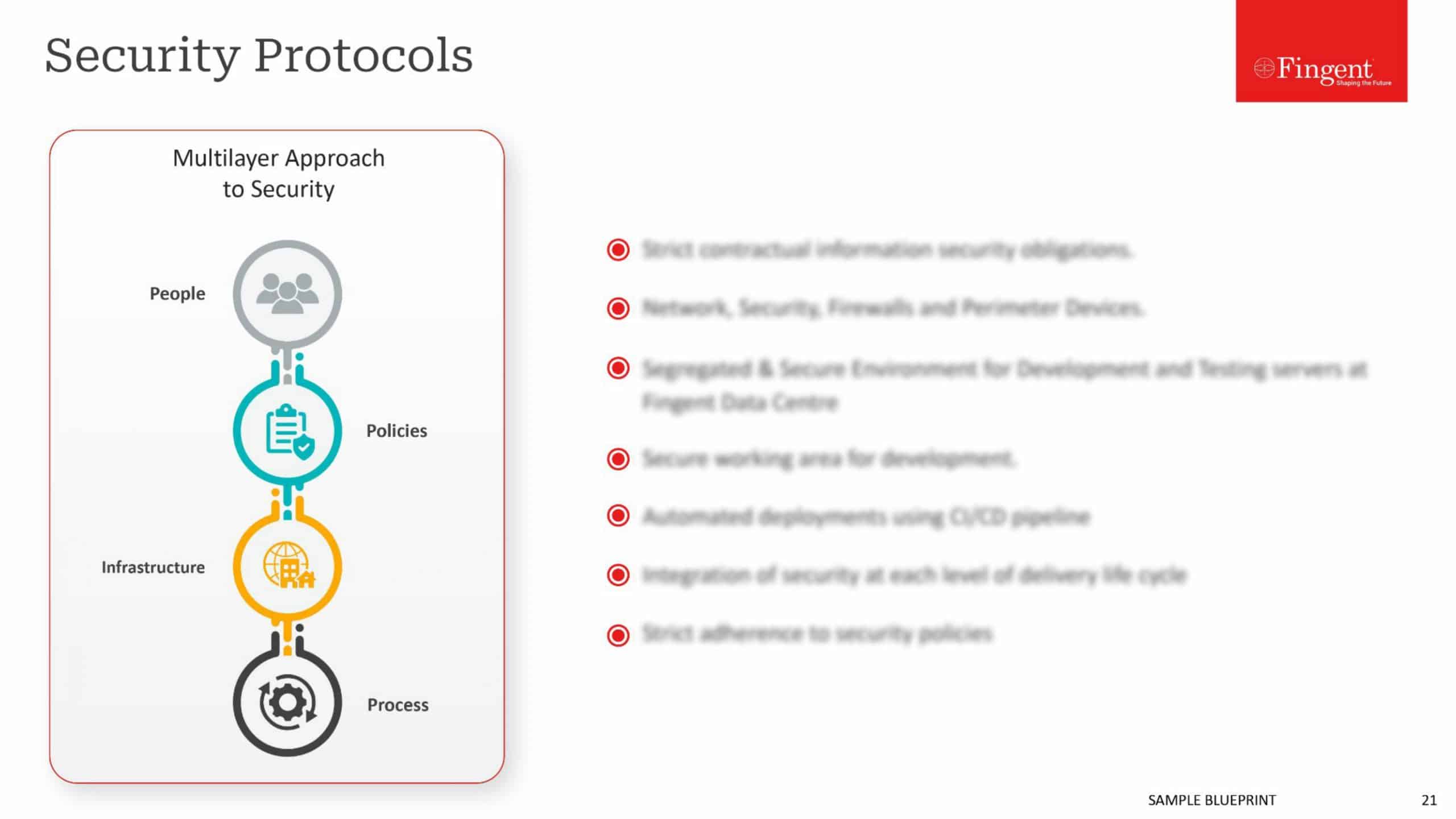
Fingent follows a three-layer approach to provide a broader view of an organization’s security posture.
- Assessing the application and its underlying code
- Evaluating the platform and infrastructure
- Analyzing security monitoring and incident response
These three layers provide a more complete picture of application security. They help uncover gaps across the application, its supporting infrastructure, and the processes that protect it. The findings also help teams prioritize remediation and strengthen security without disrupting business operations.